Academic planning guide · Updated 2 November 2026
How to Calculate a Weighted Grade: Formula, Example and Course-Average Checks (2026)
Convert each applicable score to a percentage, multiply it by the syllabus weight, and add the contributions. Use the result to understand an entered calculation, then verify it against your course syllabus or official gradebook.
Quick answer
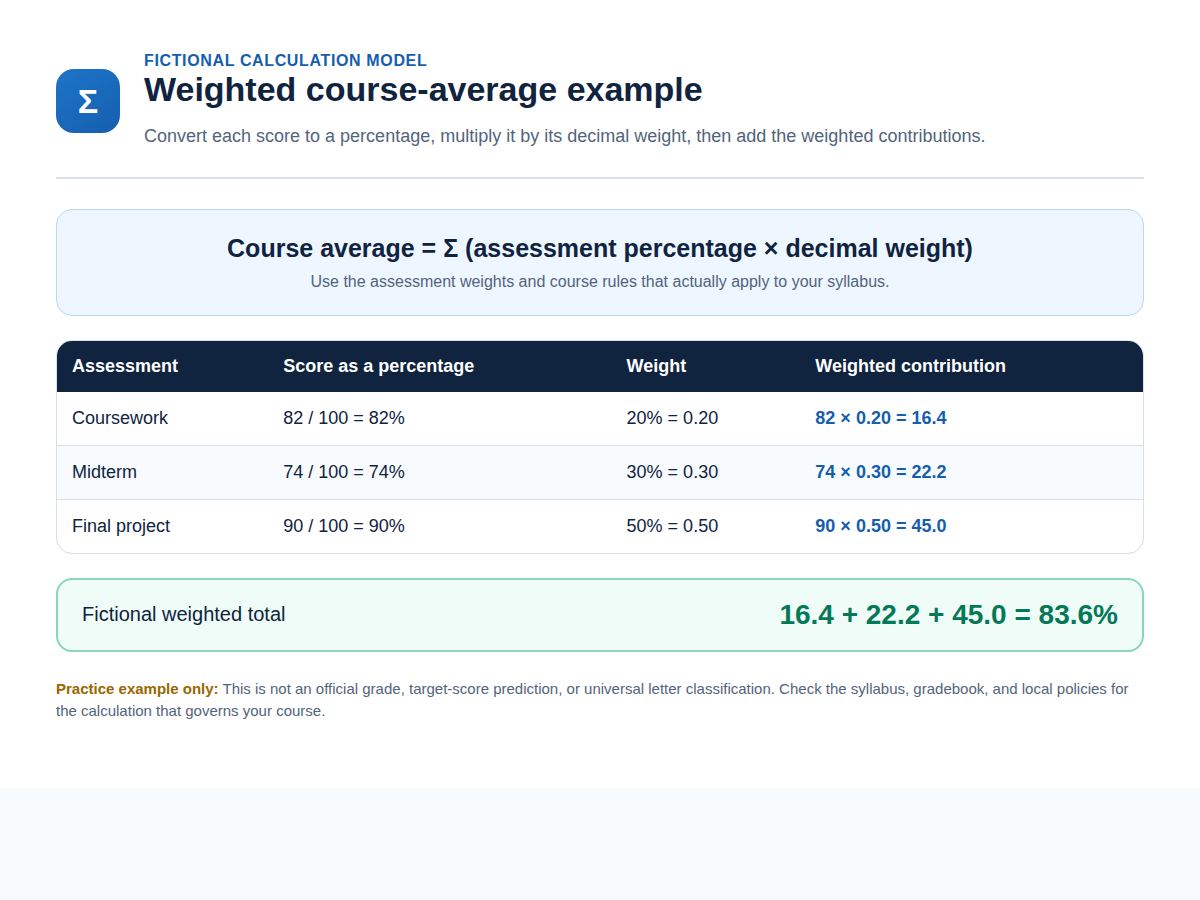
When the applicable weights are decimal proportions, use course average = Σ(assessment percentage × assessment weight). Convert each score and maximum score to a percentage first, apply the stated decimal weight, and add the contributions. Your syllabus or official gradebook—not this teaching formula—governs the course result.
First identify the course calculation system
Check whether the course uses points, weighted assessments, weighted categories, or another stated formula. Do not mix points-based and weighted systems. Durham University documents points, weighted, and advanced calculation types; Juniata College presents points earned and points possible as a separate model.
Durham University — Overall mark · Juniata College — Points-Based Grade Calculator
Four steps to check an entered weighted calculation
- Inspect the syllabus or official gradebook. Identify whether the course uses points, weighted assessments, weighted categories, or another stated formula. Record only the applicable assessments, weights, and course rules from the official source.
- Calculate each assessment percentage. For each applicable completed assessment, divide the score earned by the maximum score and multiply by 100. Keep the underlying score and maximum visible so the percentage can be checked.
- Multiply each percentage by its decimal weight. Convert a stated percentage weight to a decimal proportion, then multiply the assessment percentage by that decimal weight. For example, 20% becomes 0.20 for the calculation.
- Add contributions and check the applicable rules. Add the weighted contributions, then check that the weights, inclusion rules, category treatment, and any stated local policies match the syllabus or official gradebook before interpreting the result.
Fictional example — for calculation practice only
The values below are invented for practice. They are not an official grade, a course record, or a universal letter classification.
| Component | Score / maximum | Weight | Contribution |
|---|---|---|---|
| Coursework | 82 / 100 = 82% | 20% = 0.20 | 82 × 0.20 = 16.4 |
| Midterm | 74 / 100 = 74% | 30% = 0.30 | 74 × 0.30 = 22.2 |
| Final project | 90 / 100 = 90% | 50% = 0.50 | 90 × 0.50 = 45.0 |
Fictional total: 16.4 + 22.2 + 45.0 = 83.6%. It is not an official grade or universal letter classification.
Completed-work planning average
The Grade Calculator divides the entered weighted total by the total weight of valid entered rows. That produces an entered-score planning average, not every course’s official running total. It does not calculate a final-score or target-score prediction for unentered work.
For example, fictional 80% and 70% rows weighted 0.20 and 0.30 produce 0.37 divided by 0.50, or a 74% completed-work planning average. Use the applicable syllabus and official gradebook to interpret it.
Calculation models are not interchangeable
A weighted category can aggregate points earned and points possible before the category weight applies. CSU Chico documents this approach, including the possibility of unequal point values inside a category. Official grading, weighting, and conversion rules still vary by course and institution.
California State University, Chico — Explain Weighted Grades in Canvas · University of Lancashire — Understanding university grades · Mercer University — Weighted Average Grade Calculator
Common mismatch checks
- Check whether values are weights, points, category totals, or another kind of figure.
- Check omitted, duplicated, or incorrectly entered assessment rows and maximum scores.
- Check whether a category aggregates several items before its weight applies.
- Check applicable total weights, incomplete-work handling, dropped items, extra credit, resits, penalties, rounding, and local grade-conversion rules.
Use the right resource
Grade Calculator for an entered-score planning calculation · GPA Calculator for a separate credit and grade-point task · Percentage Calculator for a standalone score-to-percentage conversion · Free academic tools guide for broader discovery.
Important boundaries
This is an independent educational guide. It is not affiliated with Canvas, Blackboard, Mercer, Juniata, California State University, Chico, the University of Lancashire, or Durham University. It is not academic advice, a grade appeal, an official calculation, or a performance outcome. It does not assign universal letter grades, degree classifications, or scores for unentered assessments. For the recorded course result, use the applicable syllabus, official gradebook, instructor, registrar, and institutional process.
Frequently asked questions
What is the formula for a weighted grade?
When weights are decimal proportions, the teaching formula is course average = Σ(assessment percentage × assessment weight). First convert each score out of its maximum to a percentage, then multiply by the applicable decimal weight and add the contributions. The syllabus or official gradebook controls the course result.
What is the difference between points and weights?
A points-based course commonly compares points earned with points possible. A weighted course assigns stated proportions to assessments or categories, then combines the applicable percentages using those weights. Read the syllabus or official gradebook first because a course may use another stated calculation rule.
Does the Grade Calculator give my official grade?
No. The Grade Calculator provides an entered-score planning calculation from the rows you supply. Your course’s syllabus, official gradebook, instructor, registrar, and applicable policies control the official result.
Can this page assign my letter grade or grade scale?
No. Letter scales, rounding, pass requirements, classifications, and conversion rules are set by the relevant course or institution. Check the applicable course policy or official gradebook rather than applying a universal scale.
Does partial entered work tell me my final or target score?
No. Partial entered work can produce a completed-work planning snapshot after the entered rows are normalized by their total valid weight. It does not supply a final-score or target-score prediction, and official running totals may use different rules.
Sources
Sources checked 2 November 2026: California State University, Chico; University of Lancashire; Durham University; Mercer University; and Juniata College. Each source gives an institutional example or system explanation rather than a universal course calculation rule.
About the Author
Zunair Ali Syed is a doctoral researcher in Management Sciences at Minhaj University Lahore and a research consultant with experience in academic research and editing since 2011. He runs QuickEduHelp, with professional interests in digital learning, research methods, and evidence-based academic support.